Get Push Notifications for Every Alchemy Webhook
Connect Pushinator directly to Alchemy and get instant push notifications for wallet activity and NFT transfers — no code required.
What You Can Build
Wallet Activity Alerts
NFT Transfers
No Dashboard Checking
Multi-Chain
Set It Up in Minutes
No code, no server to run — Pushinator receives Alchemy's webhooks directly.
Create a channel and an Alchemy webhook
Log in to the Pushinator Console and create a channel (e.g., "Wallet Alerts"), or open an existing one. Obtain an API token if you don't have one yet.
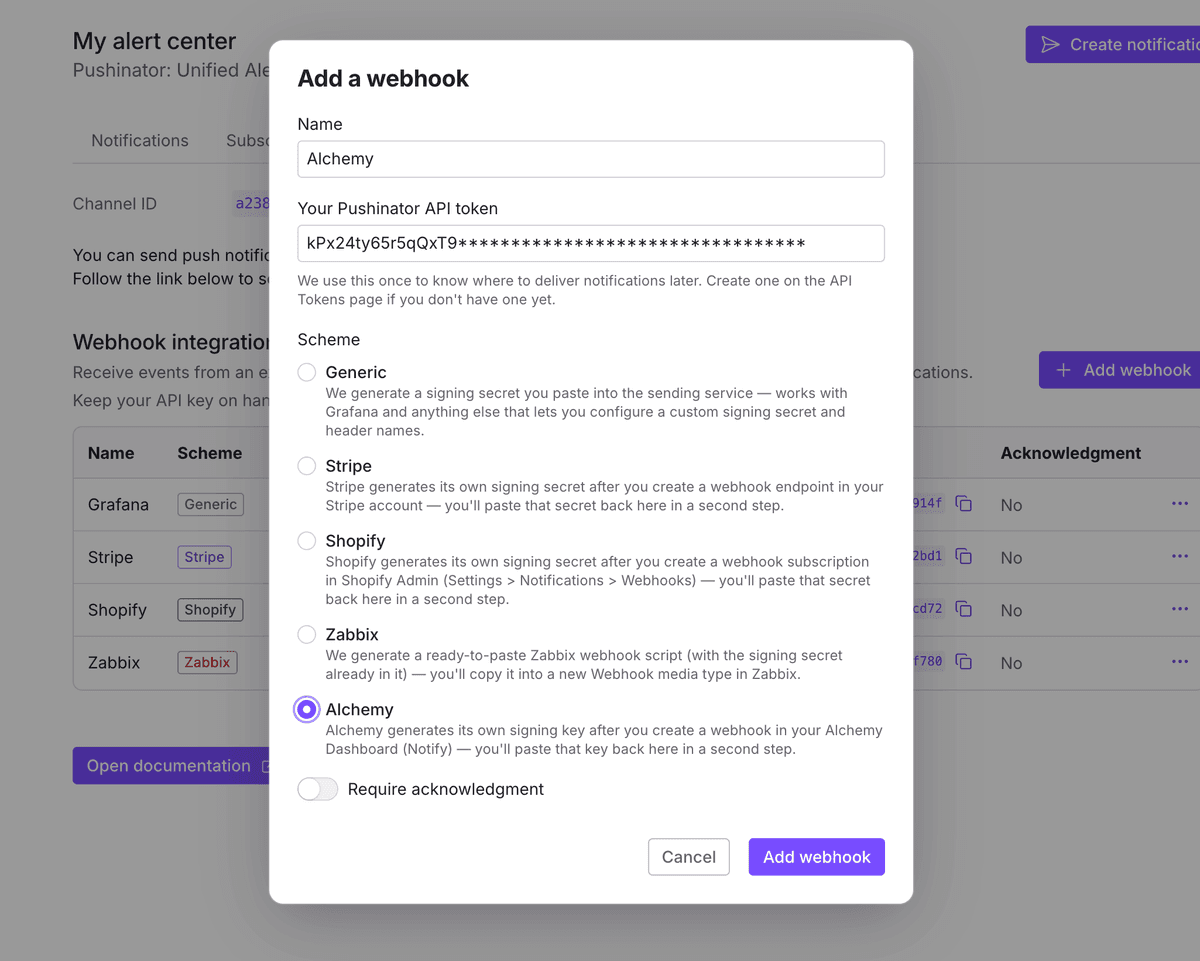
Open the channel's API & Integrations tab, click Add webhook, give it a name, select the Alchemy scheme, paste your API token, and submit.
Create a webhook in Alchemy
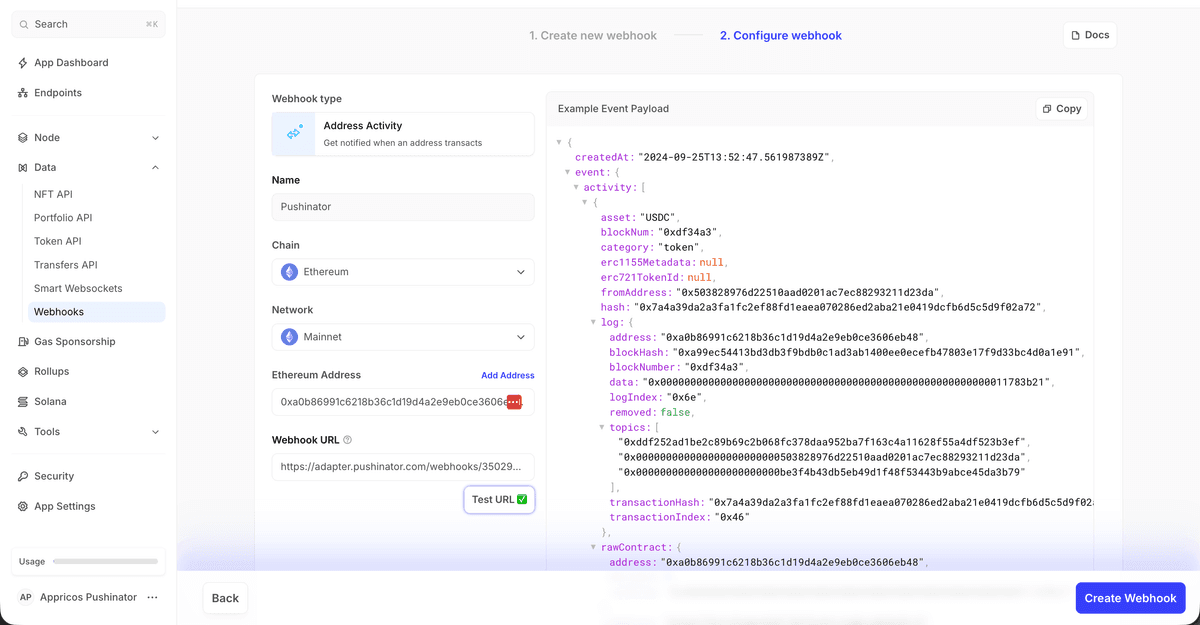
Pushinator immediately shows you a webhook URL — copy it. Then, in your Alchemy Dashboard, click Data APIs in the left sidebar and Get started on your app (first time only — after that, the sidebar shows Data instead, with a Webhooks section under it).
Open Webhooks, create one, pick Address Activity or NFT Activity, choose a network, add the addresses or contracts you want to watch, and paste that URL into the Webhook URL field.
Paste the signing key back into Pushinator
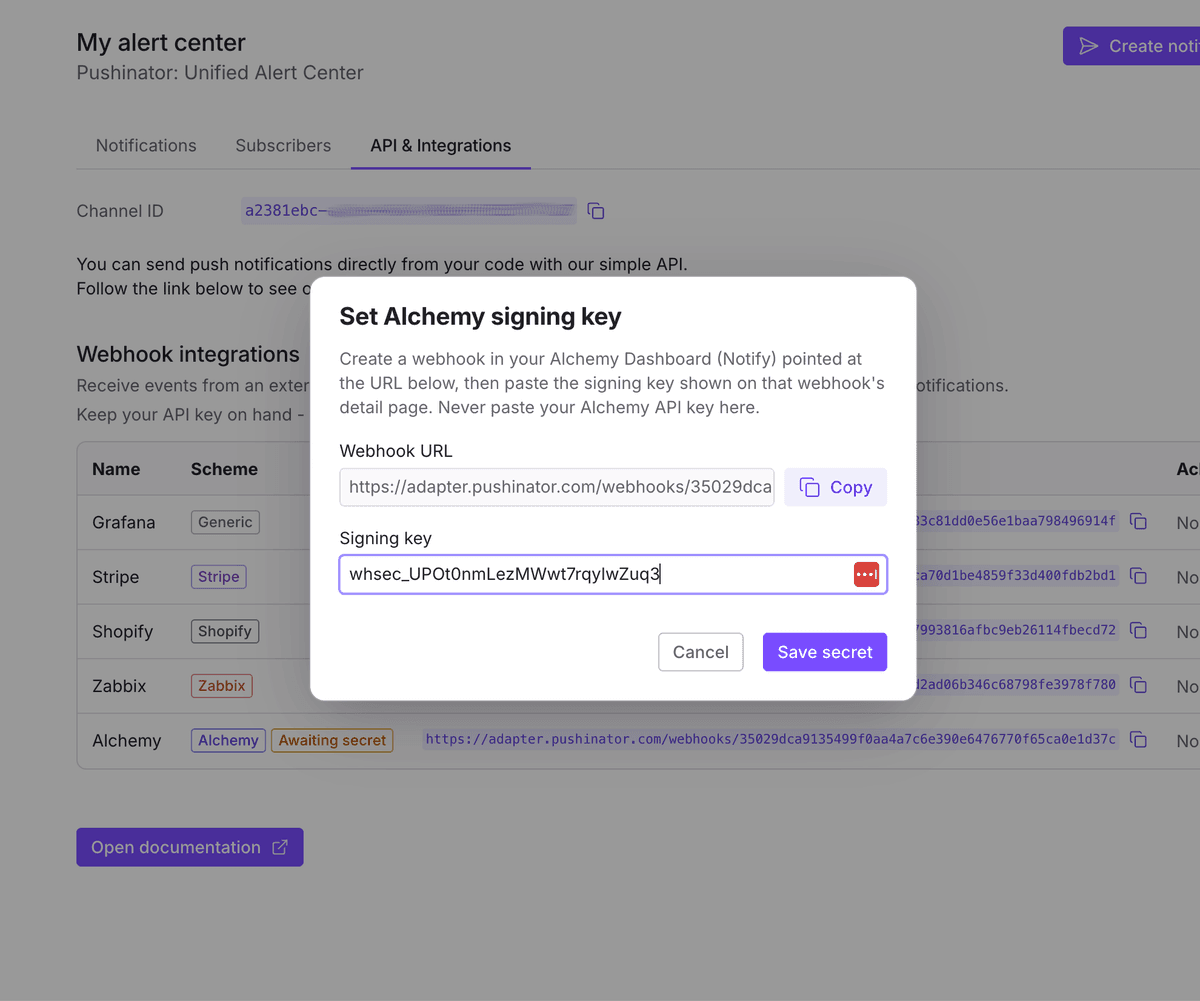
Once the webhook is created, open its Options menu (⋮) and select Details, then click Signing Key to reveal it. Paste it into Pushinator's Set Alchemy signing key dialog for that webhook (it opens right after creation, or later from the webhook's menu).
Use Alchemy's own Test Webhook button (or Send Test Notification from the same Options menu) to confirm delivery before moving on.
Subscribe your devices
Install the Pushinator app from the App Store or Google Play, then scan your channel's QR code to subscribe. From now on, matching wallet and NFT activity arrives as push notifications, e.g. "Wallet Alerts | 1 transfer: 293.09 USDC (0x5038…23da → 0xbe3f…3b79)" — if you connect several webhooks to the same channel, each one's name is used to tell notifications apart.
Need help?
Drop us a message at [email protected], and we will try our best to assist you. Feel free to request a feature or integration, or let us know if there are any issues on our side.