Get Push Notifications for Every Arkham Alert
Connect Pushinator directly to Arkham Alerts and get instant push notifications for wallet activity — no code required.
What You Can Build
Wallet Activity Alerts
Entity & Whale Tracking
No Dashboard Checking
Multi-Chain
Set It Up in Minutes
No code, no server to run — Pushinator receives Arkham's webhooks directly.
Create a channel and an Arkham webhook
Log in to the Pushinator Console and create a channel (e.g., "Wallet Alerts"), or open an existing one. Obtain an API token if you don't have one yet.
Open the channel's API & Integrations tab, click Add webhook, give it a name, select the Arkham scheme, paste your API token, and submit.
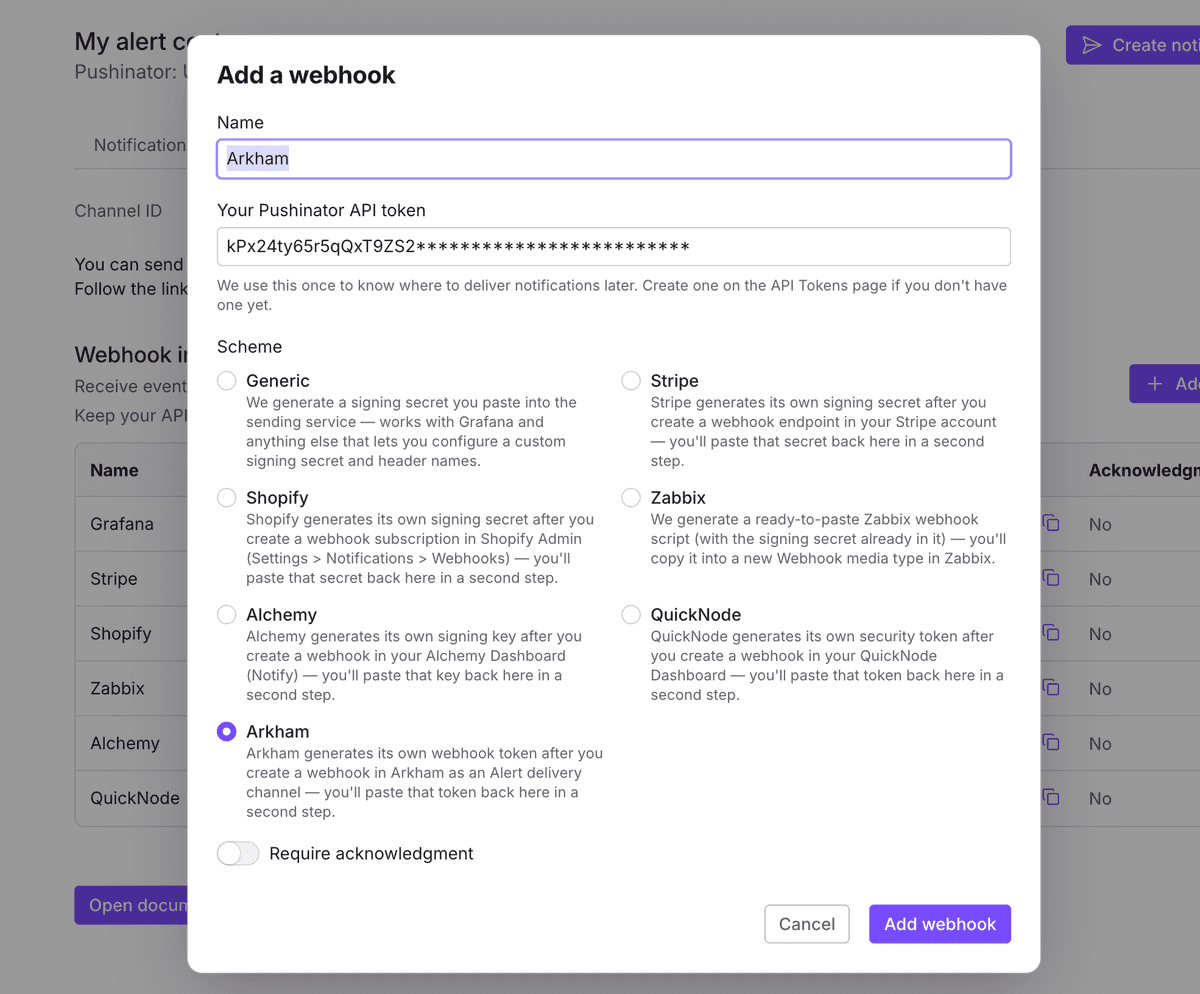
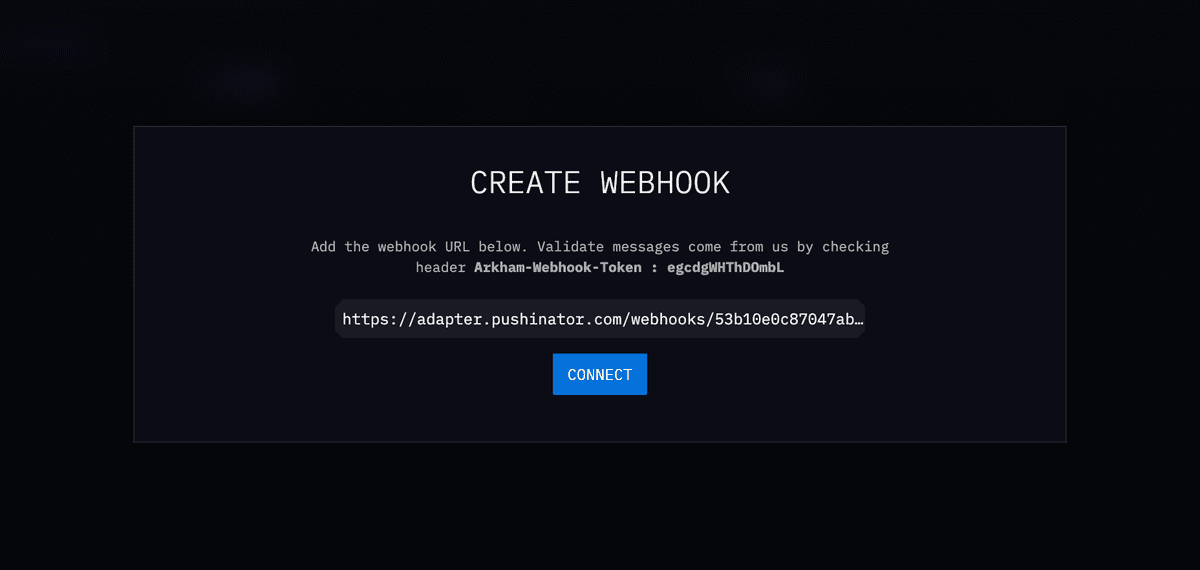
Create a webhook method in Arkham
Pushinator immediately shows you a webhook URL — copy it. Then, in Arkham, open Alerts, and in the left-hand menu click Manage methods. On the Methods page, click + WEBHOOK — a dialog opens where you paste the Pushinator webhook URL. As soon as you do, Arkham shows the Arkham-Webhook-Token value right there above the field — copy it, then click Connect.
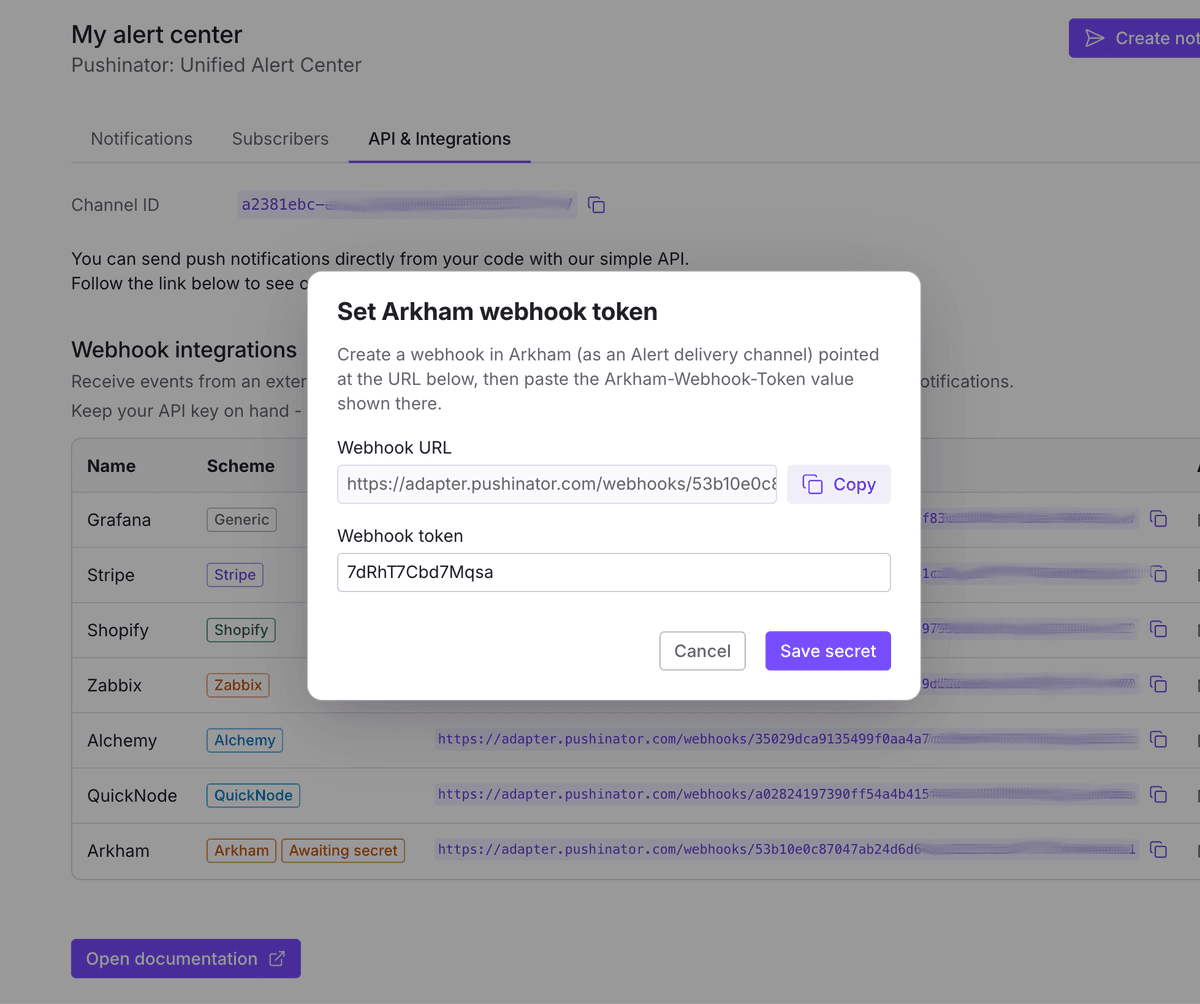
Paste the token back into Pushinator
Back in Pushinator, paste the Arkham-Webhook-Token value into the Set Arkham webhook token dialog for that webhook (it opens right after creation, or later from the webhook's menu), then create the webhook.
Create an Alert in Arkham
Still in Alerts, click Create Alert +. A dialog opens with every filter Arkham offers for what should trigger the alert — entirely up to you which ones you use. The screenshots below just show one example (a specific wallet and a value range) to illustrate the dialog; set your own filters to match whatever you actually want to track. Give the alert a name and description, then turn on Whose transfers do you want to see? and add the address or entity you want to watch — optionally narrowing it further to just Sender or Recipient.
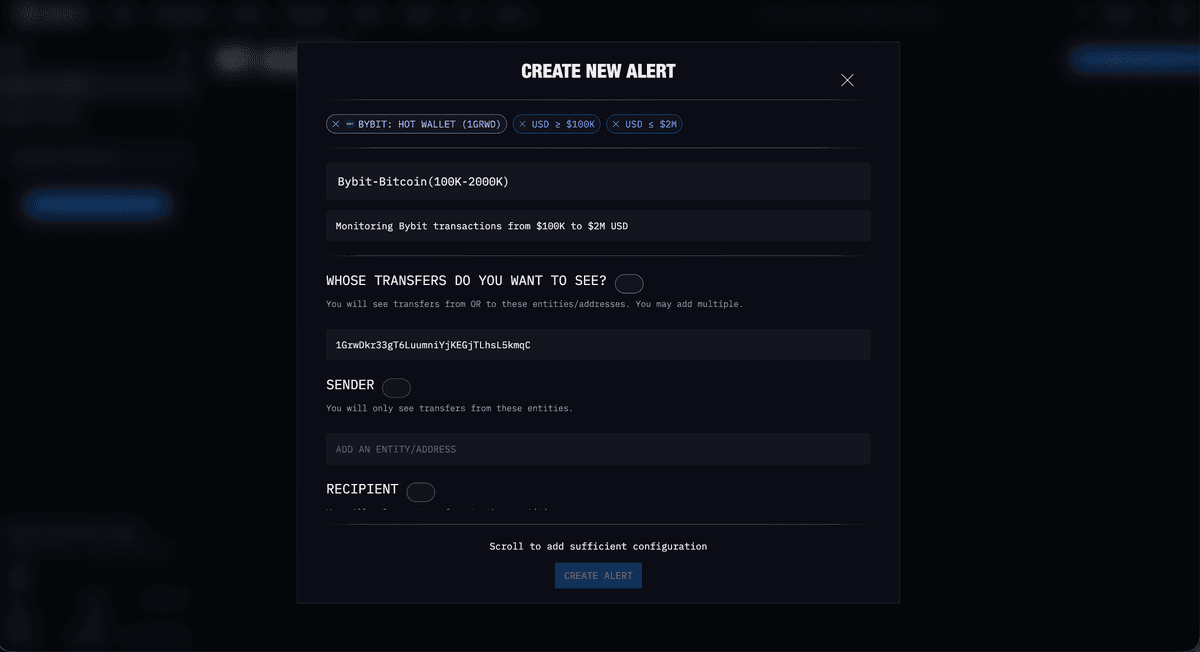
Scroll down to add more filters — e.g. What USD value? to only alert on transfers within a value range, or What token value? / Which tokens? for token-specific thresholds.
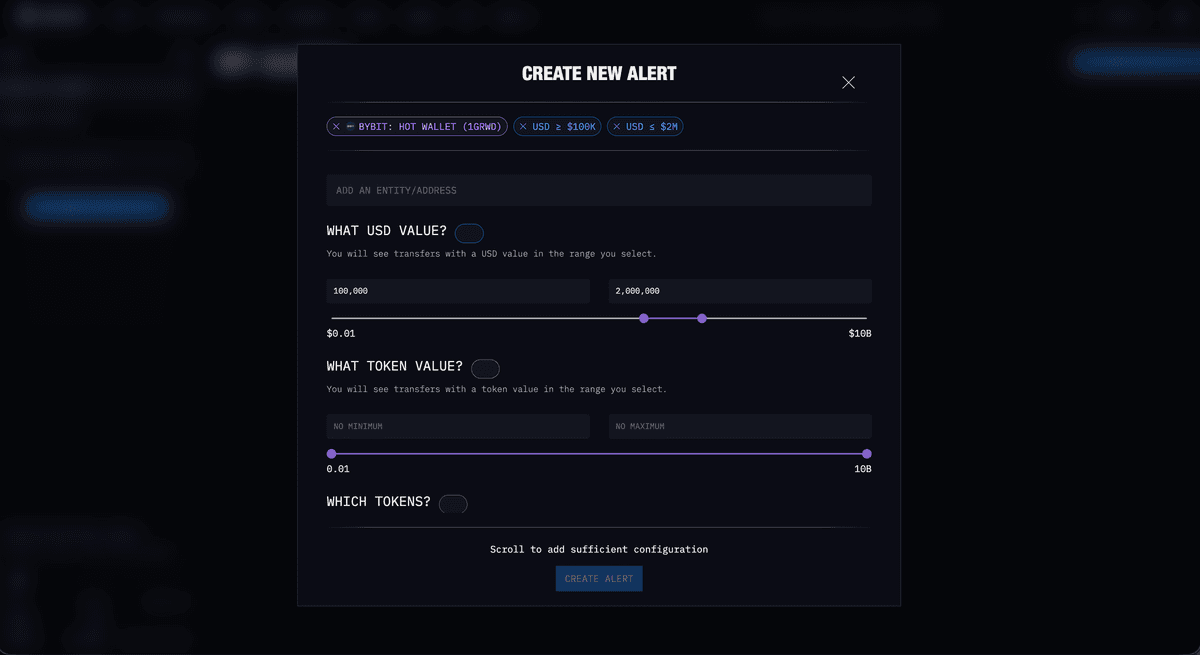
Further down, optionally restrict What chain?, then under How should we alert you? (required) select the webhook you created in step 2 — it shows up as adapter.pushinator.com. Arkham displays its own per-method rate limits right there too — on the default tier, webhooks (like Telegram and Slack) are capped at 50 deliveries/hour. Click Create Alert.
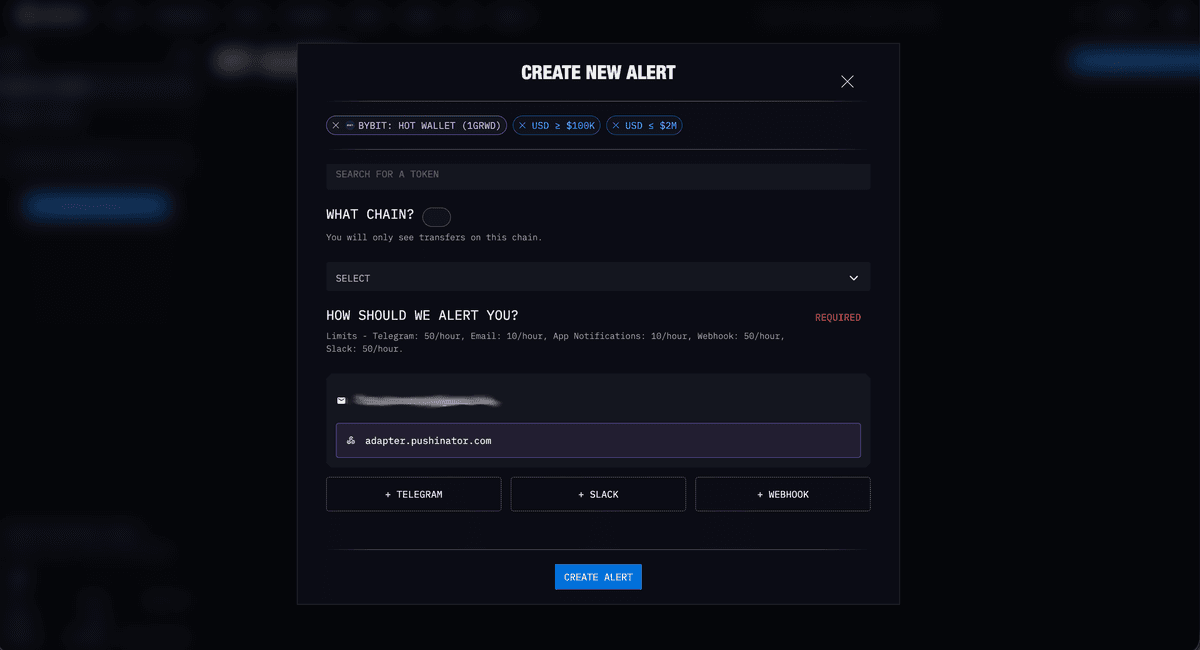
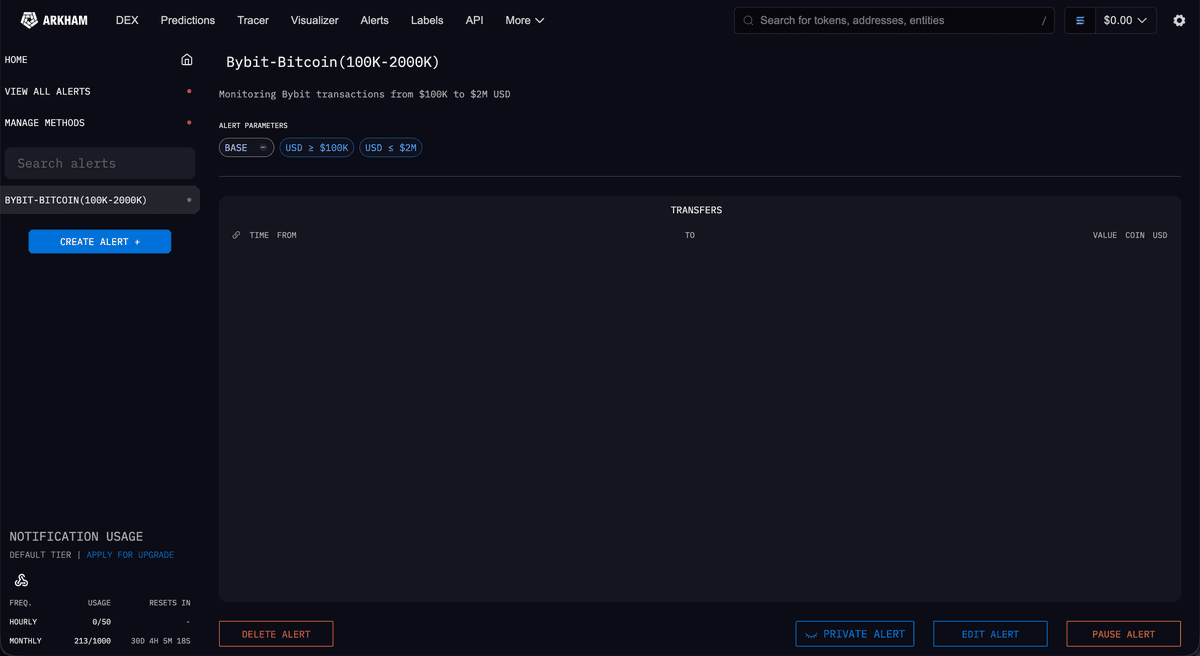
You can create as many alerts as you like, each pointed at the same webhook. Keep an eye on limits on both sides: Arkham has its own hourly/monthly notification caps per account tier (shown on each alert's page), and separately, every notification that reaches Pushinator counts against your Pushinator plan's own limit.
Creating the alert lands you on its own page, where you can review its parameters, see matching transfers, check your current usage against Arkham's limits, and pause, edit, or delete it later.
Subscribe your devices
Install the Pushinator app from the App Store or Google Play, then scan your channel's QR code to subscribe. From now on, matching wallet activity arrives as push notifications, e.g. "Wallet Alerts | 0.00000546 BTC ($0.35): Bybit (1GrwDk…5kmqC) → bc1qwf…df7w (bitcoin)" — if you named your alert, that name is included as a prefix, and if you connect several webhooks to the same channel, each one's name is used to tell notifications apart too.
Need help?
Drop us a message at [email protected], and we will try our best to assist you. Feel free to request a feature or integration, or let us know if there are any issues on our side.