Get Push Notifications for Every Grafana Alert
Connect Grafana Alerting directly to Pushinator and get instant push notifications when your alerts fire or resolve — no plugin to install.
What You Can Build
Firing & Resolved Alerts
Multi-Alert Summaries
No Dashboard Checking
Team & Environment Routing
Set It Up in Minutes
No plugin to install — Grafana Alerting sends webhooks directly to Pushinator.
Create a channel and a generic webhook
Log in to the Pushinator Console and create a channel (e.g., "Grafana Alerts"), or open an existing one.
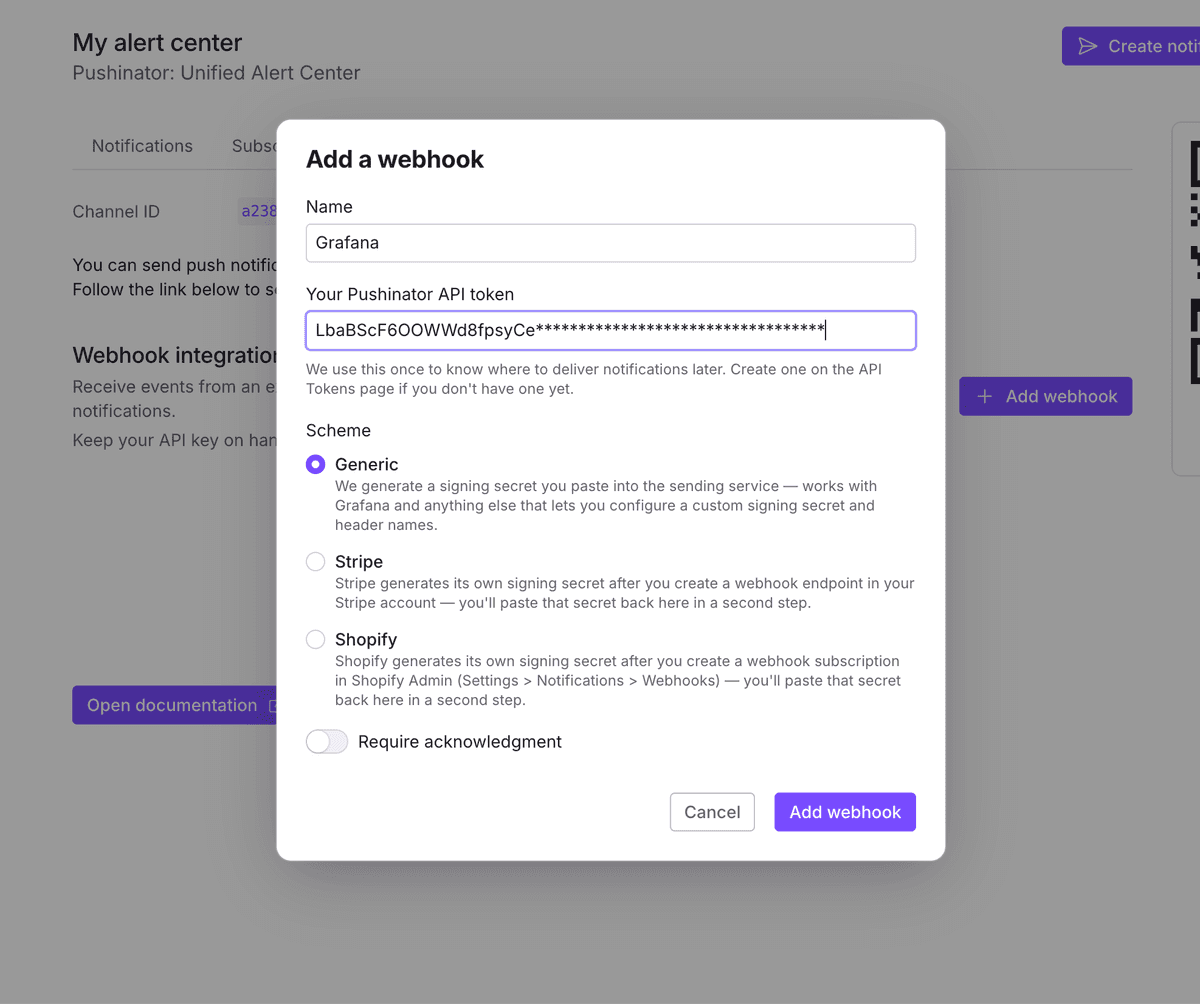
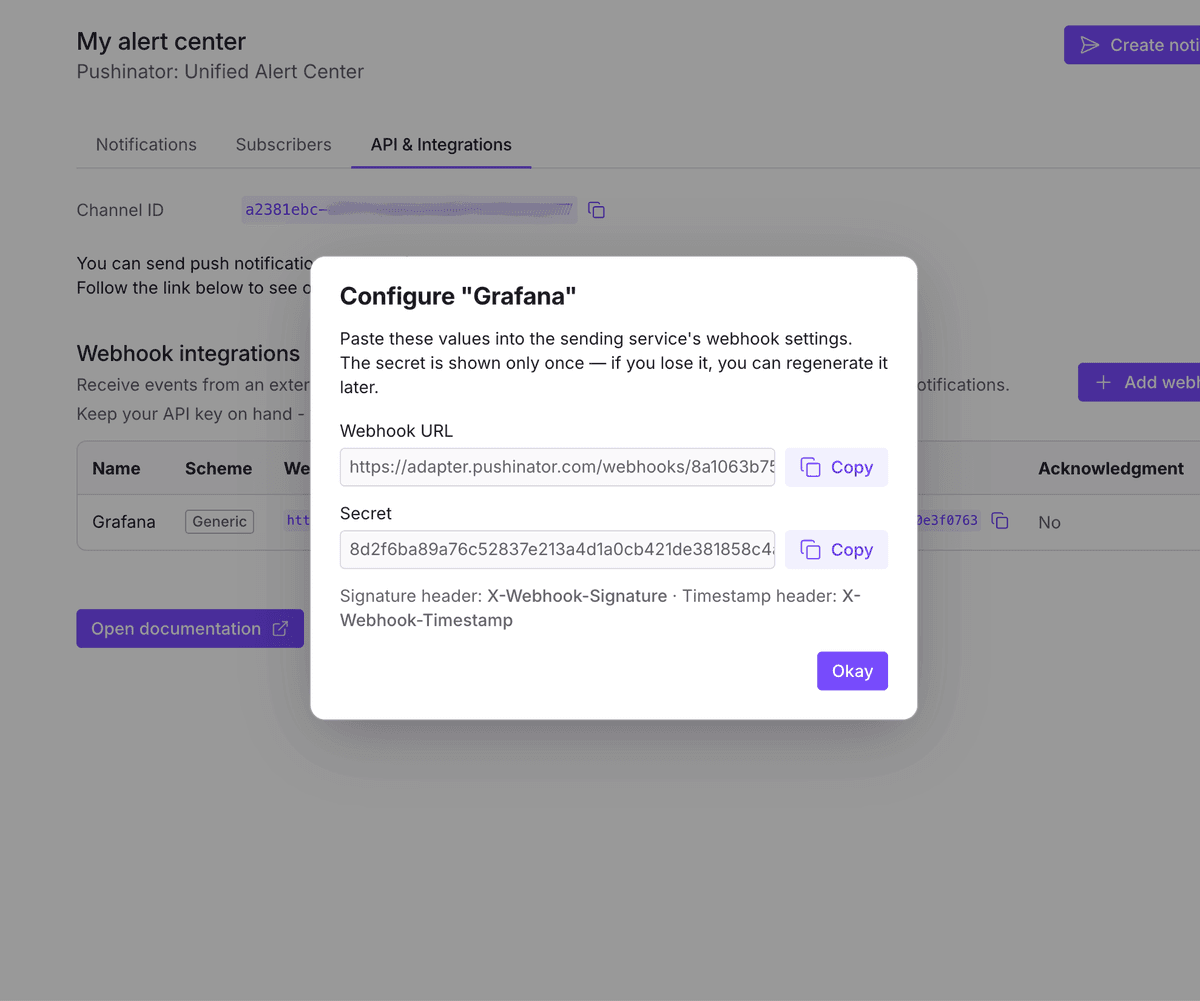
Open the channel's API & Integrations tab, click Add webhook, give it a name, and leave the scheme set to Generic, then submit. Pushinator immediately shows a webhook URL and an HMAC signing secret — copy both, the secret is only shown once.
Create a webhook contact point in Grafana
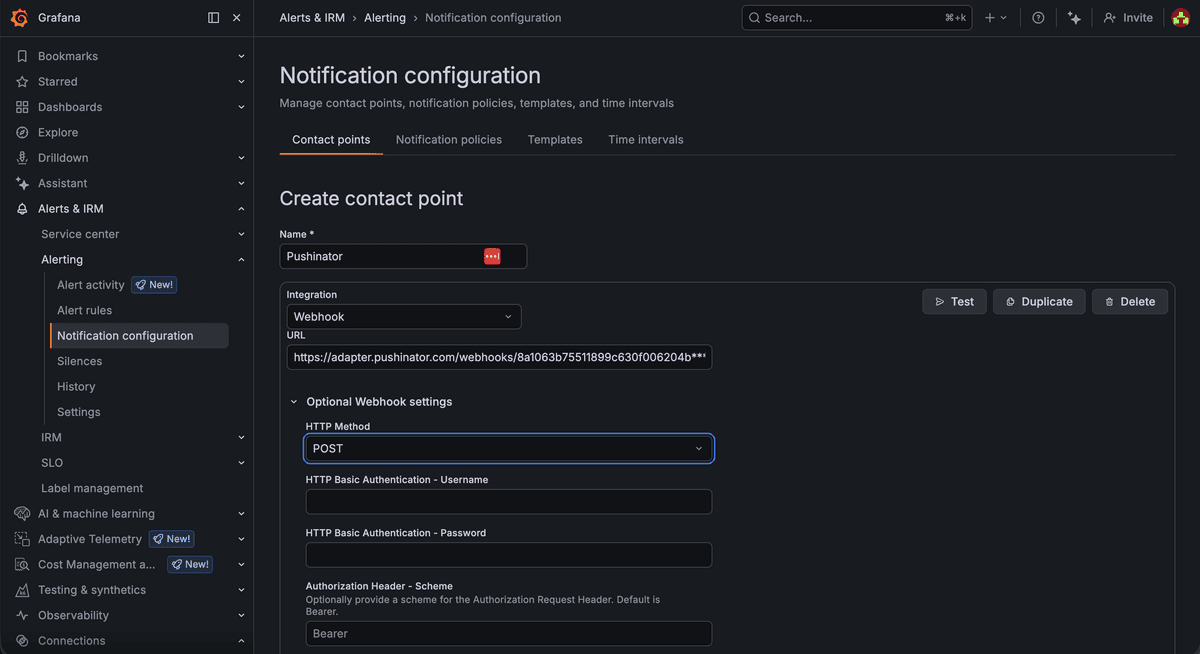
In Grafana, go to Alerting → Contact points → New contact point, give it a name, and set Integration to Webhook. Paste the URL Pushinator gave you, and set the HTTP Method to POST.
Sign requests with your webhook secret
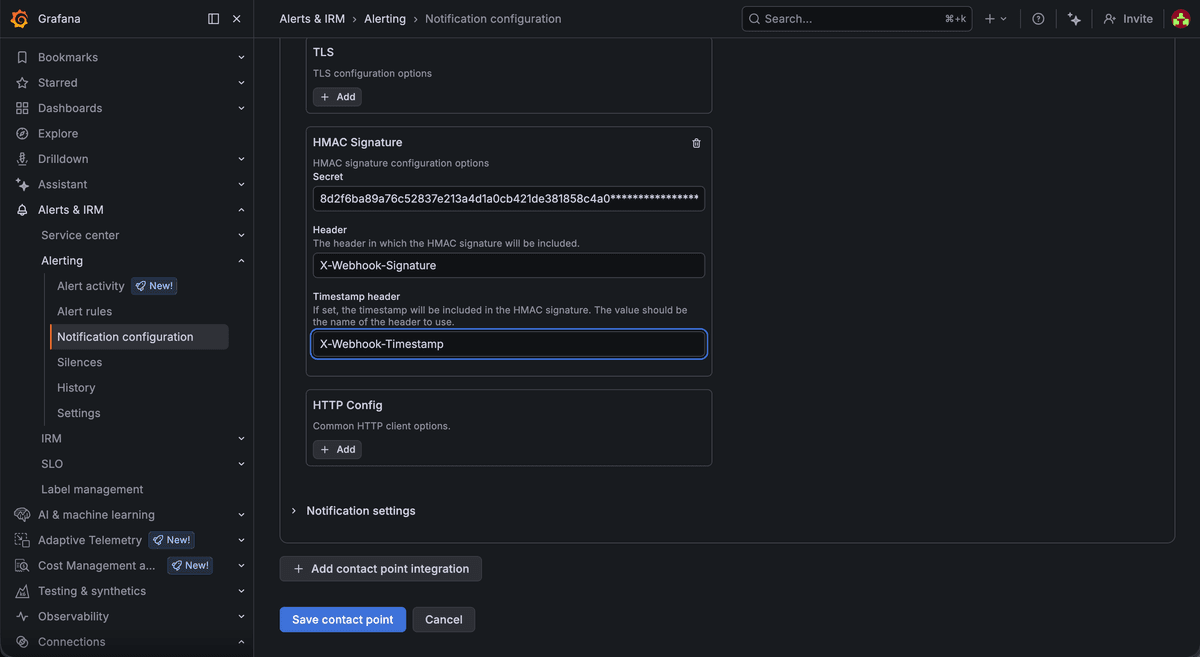
Expand the HMAC Signature section of the same contact point, paste the secret Pushinator gave you, and set the header names to X-Webhook-Signature for the signature and X-Webhook-Timestamp for the timestamp. This lets Pushinator verify the alert really came from your Grafana instance.
Route your alerts to it
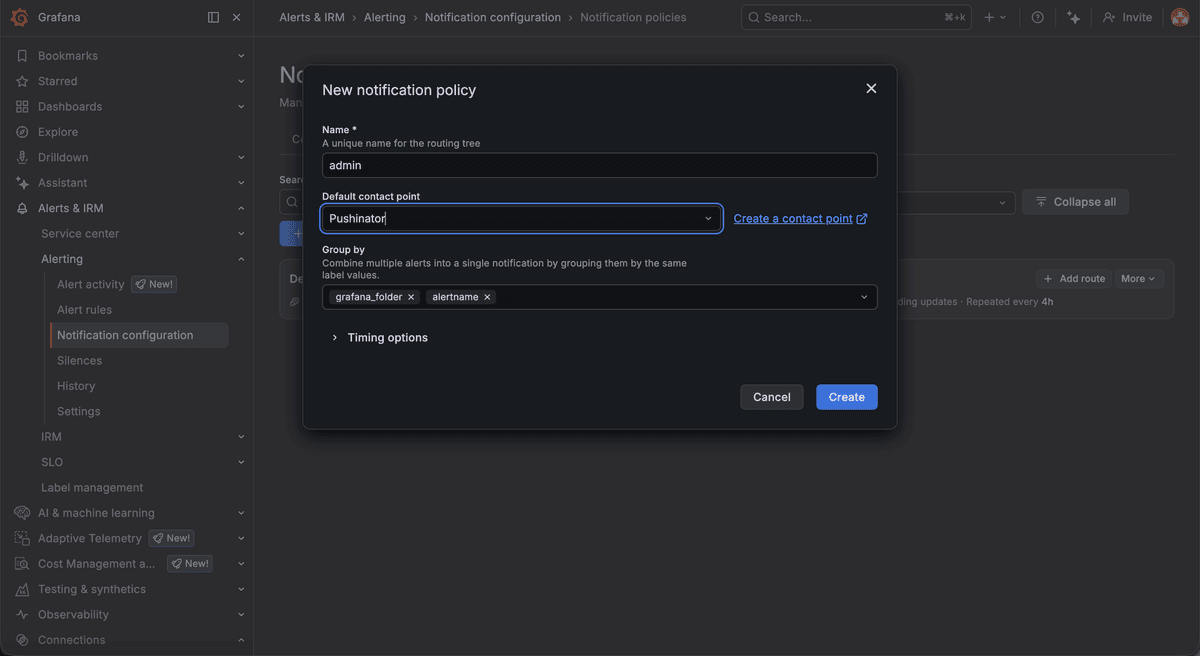
Save the contact point, then go to Alerting → Notification policies and add (or edit) a policy that routes the alerts you care about to it — use the Test button on the contact point to confirm delivery before moving on.
Subscribe your devices
Install the Pushinator app from the App Store or Google Play, then scan your channel's QR code to subscribe. From now on, firing and resolved alerts arrive as push notifications, e.g. "Grafana Alerts | 3 alerts firing: HighCPU (web-1), ...".
Need help?
Drop us a message at [email protected], and we will try our best to assist you. Feel free to request a feature or integration, or let us know if there are any issues on our side.