Get Push Notifications for Every QuickNode Webhook
Connect Pushinator directly to QuickNode Webhooks and get instant push notifications for wallet activity and contract events — no code required.
What You Can Build
Wallet Activity Alerts
Contract Events
No Dashboard Checking
Multi-Chain
Set It Up in Minutes
No code, no server to run — Pushinator receives QuickNode's webhooks directly.
Create a channel and a QuickNode webhook
Log in to the Pushinator Console and create a channel (e.g., "Wallet Alerts"), or open an existing one. Obtain an API token if you don't have one yet.
Open the channel's API & Integrations tab, click Add webhook, give it a name, select the QuickNode scheme, paste your API token, and submit.
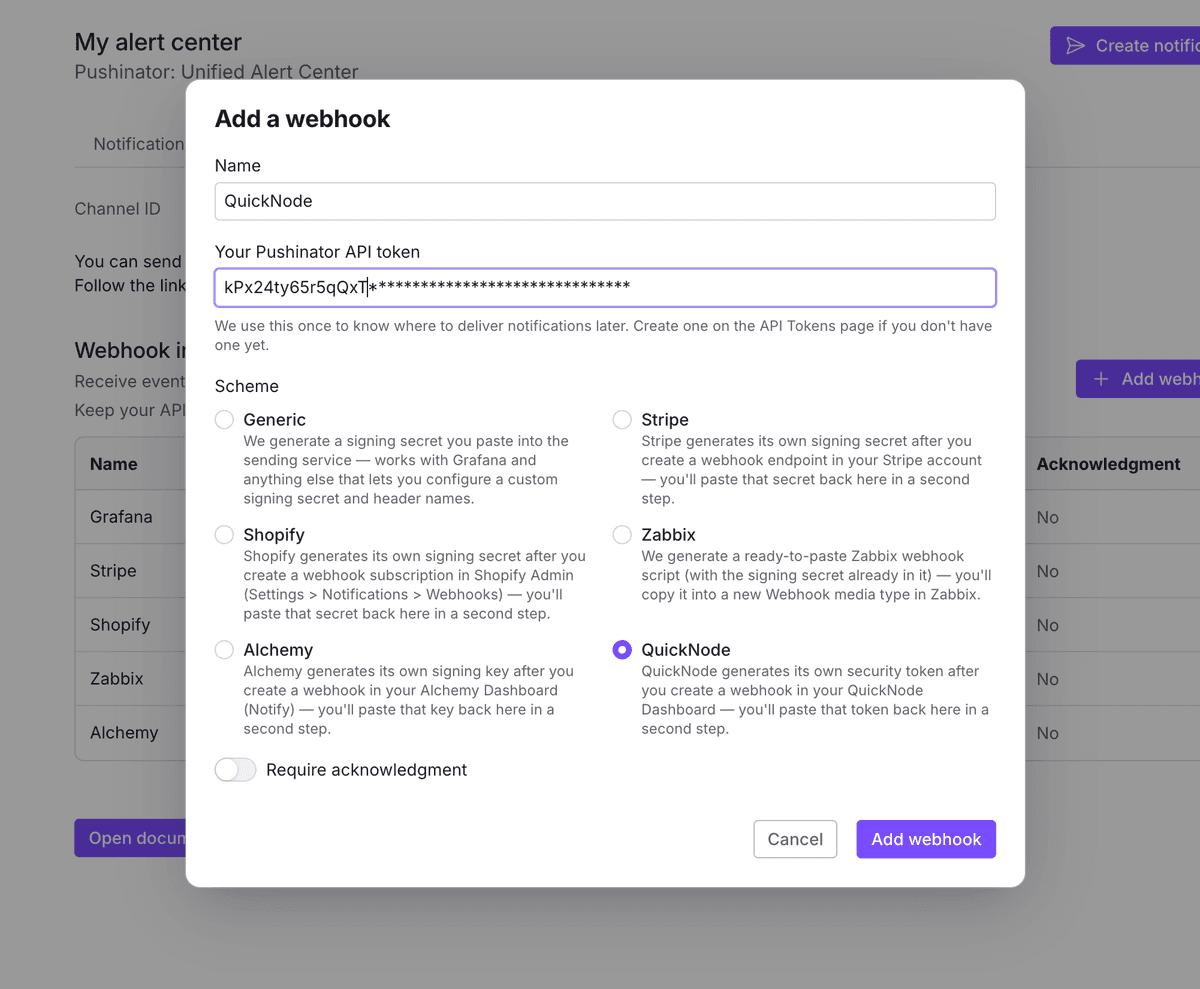
Create a webhook in QuickNode
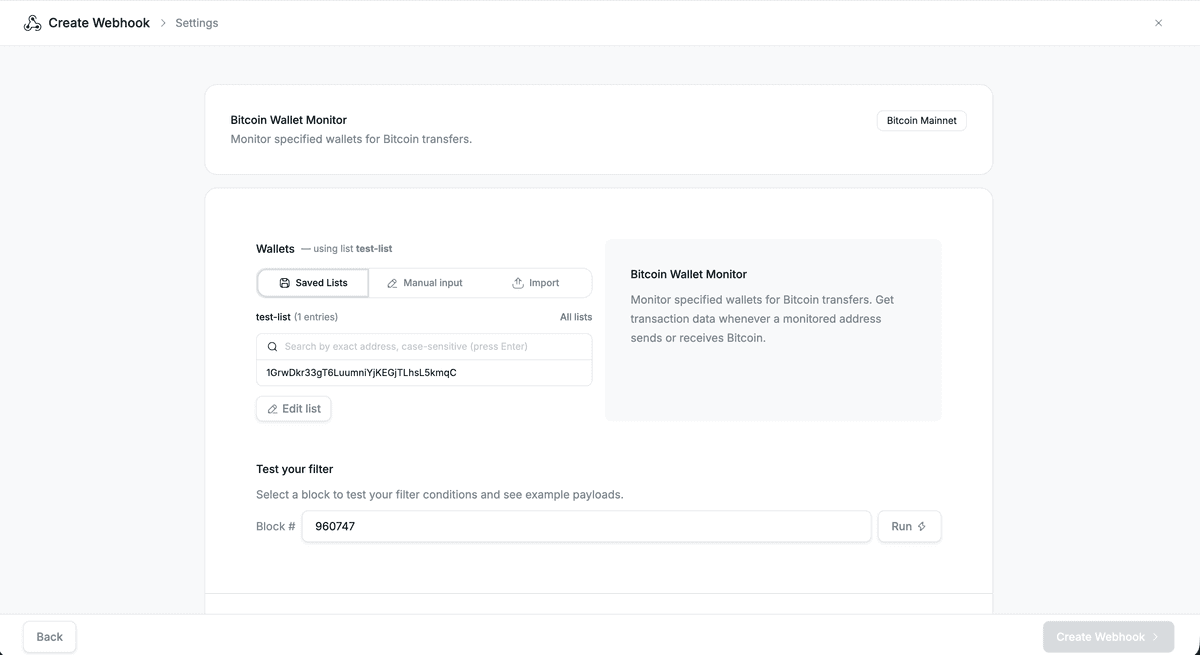
Pushinator immediately shows you a webhook URL — copy it. Then, in your QuickNode Dashboard, open Webhooks and create one: pick a template for what you want to watch (e.g. Bitcoin Wallet Monitor — templates exist for Bitcoin, EVM chains, Solana, XRPL, and more) or a custom filter, then add the addresses or contracts you want to watch — from a saved list, typed in manually, or imported. You can pick a block number and hit Run to test your filter and preview an example payload before going further.
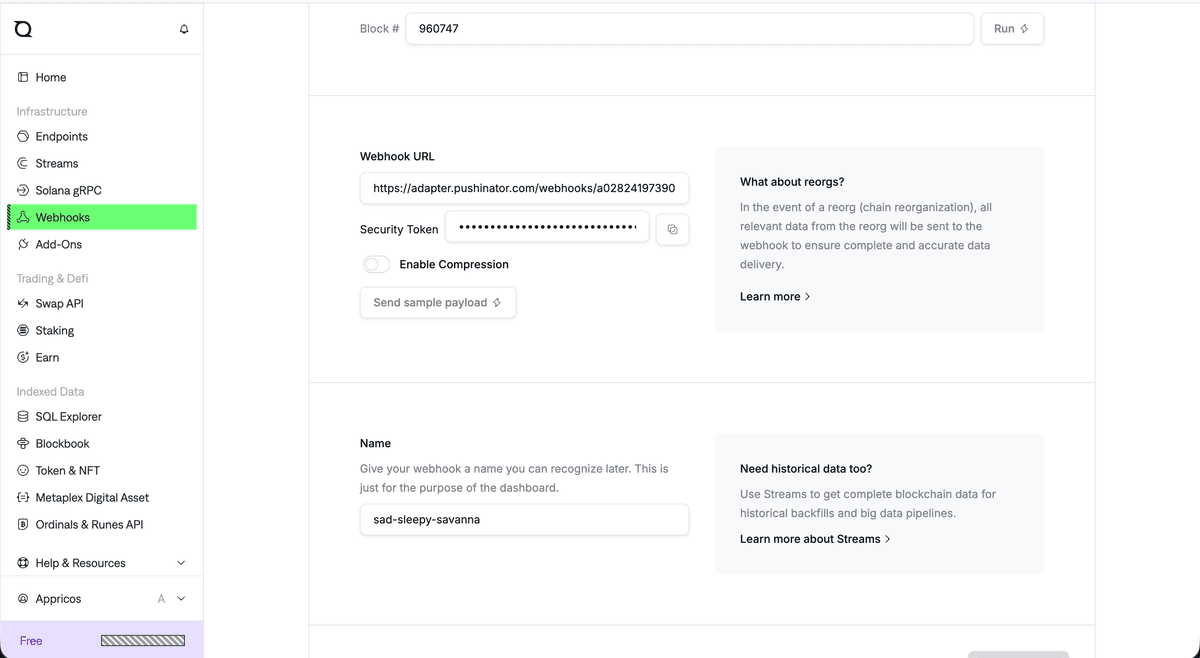
Scroll down and paste the URL Pushinator gave you into Webhook URL — the Security Token field fills in automatically right there, before you even finish creating the webhook. Leave Enable Compression off. Give the webhook a name, and optionally use Send sample payload to fire a one-off test delivery once the URL is in place.
Some templates produce richer, nicely formatted notifications than others — for a few of the less common ones you may occasionally see a more basic, raw-looking notification instead of a fully summarized one. Either way, delivery itself works the same.
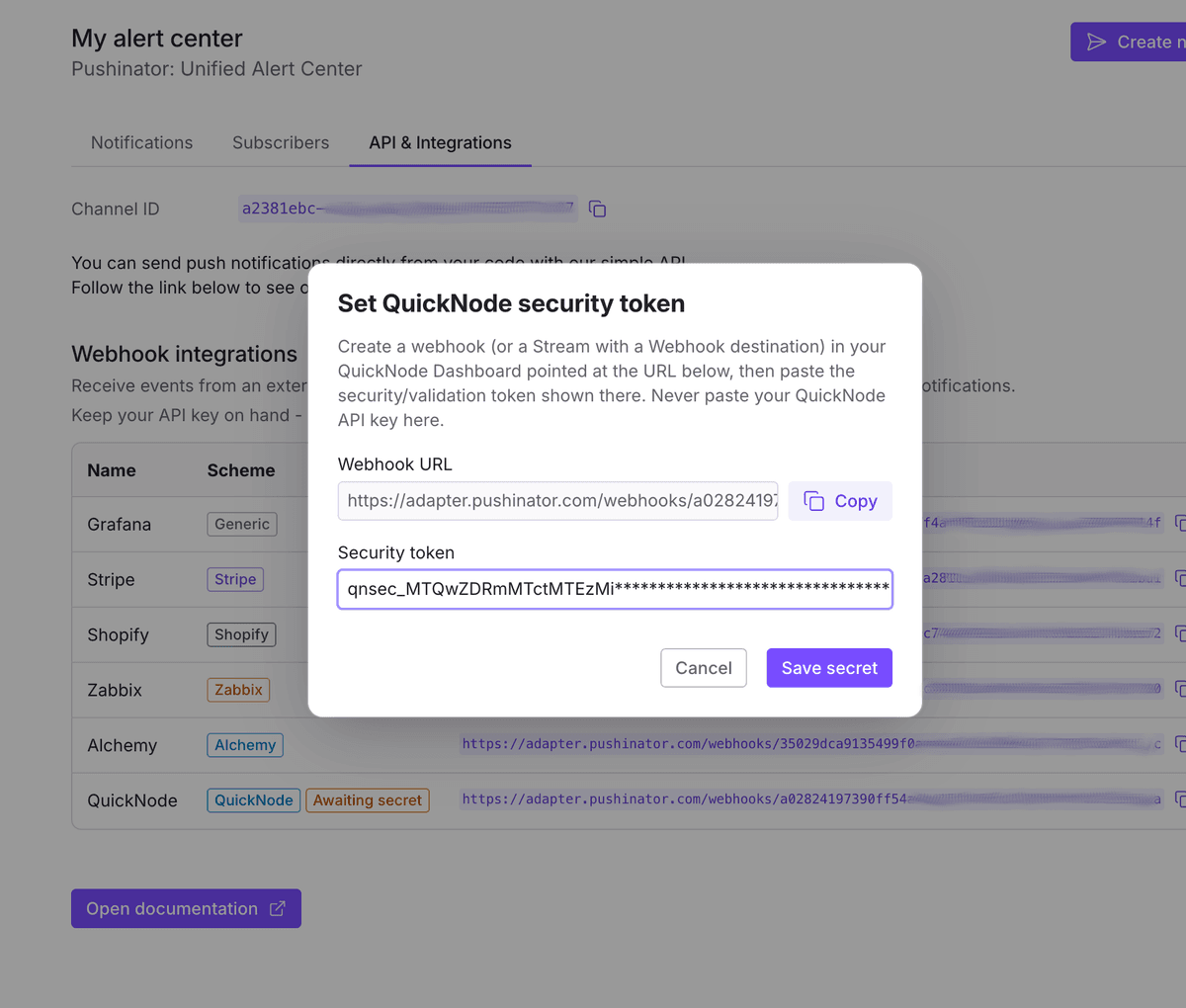
Paste the security token back into Pushinator
Copy the security token from where you just saw it, then paste it into Pushinator's Set QuickNode security token dialog for that webhook (it opens right after creation, or later from the webhook's menu).
If you need the token again later (or want to check delivery activity), open the webhook in QuickNode — its Overview tab shows the same URL and token alongside processed-block and delivery counts, and there's a Logs tab for individual delivery attempts.
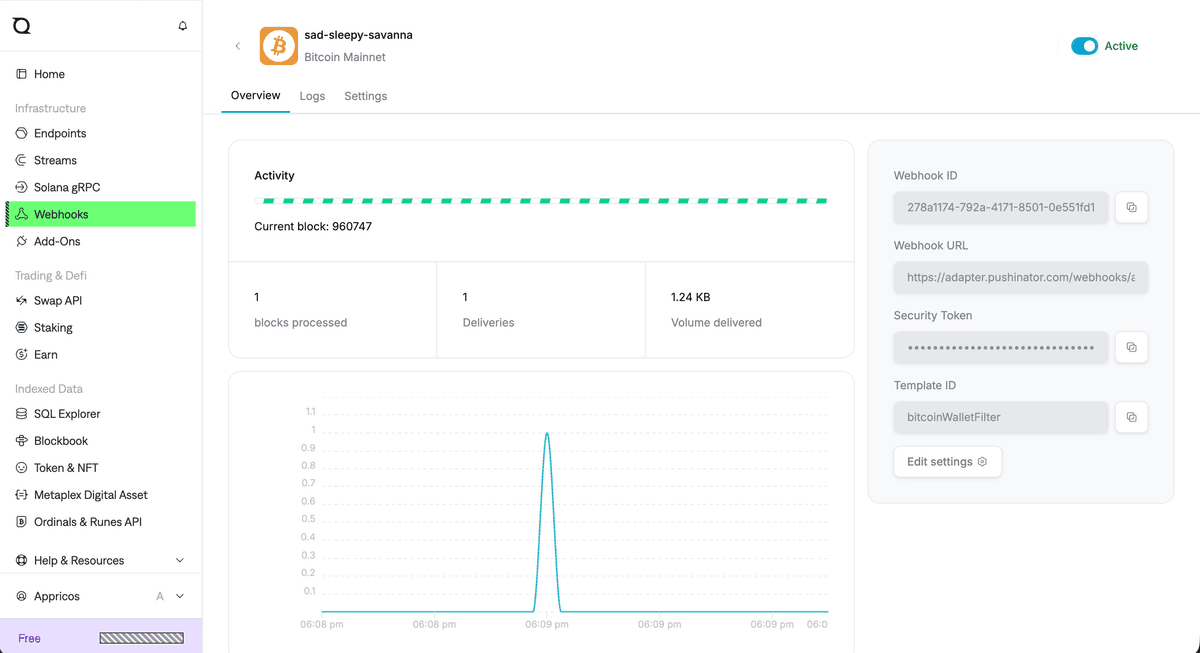
On QuickNode's Free plan, only one active webhook/stream is allowed at a time — creating a second one before removing or pausing the first can get the original one auto-terminated (you'd see it flip from Active in the top right of that same Overview tab). If you need to change your filter, edit the existing webhook instead of creating a new one alongside it.
Subscribe your devices
Install the Pushinator app from the App Store or Google Play, then scan your channel's QR code to subscribe. From now on, matching wallet and contract activity arrives as push notifications, e.g. "Wallet Alerts | 1 transaction: 0.05 BTC: 1DLeNAps…zx3w → bc1qn8sc…70n (e7c5da5c…4fb0cd1d)" — if you connect several webhooks to the same channel, each one's name is used to tell notifications apart.
Need help?
Drop us a message at [email protected], and we will try our best to assist you. Feel free to request a feature or integration, or let us know if there are any issues on our side.