Turn Any Webhook Into a Push Notification
Point any service, script, or internal tool that can send an HTTP webhook at Pushinator and get instant push notifications — no fixed payload format, no code to host.
What You Can Build
Custom Alerts
CI/CD Events
Any HTTP Source
Signed & Verified
Set It Up in Minutes
No code to host — Pushinator gives you a URL and a secret, and receives webhooks directly.
Create a channel and a generic webhook
Log in to the Pushinator Console and create a channel (e.g., "Deploy Alerts"), or open an existing one.
Open the channel's API & Integrations tab, click Add webhook, give it a name, and leave the scheme set to Generic. Optionally require an acknowledgment for notifications sent through it, then submit.
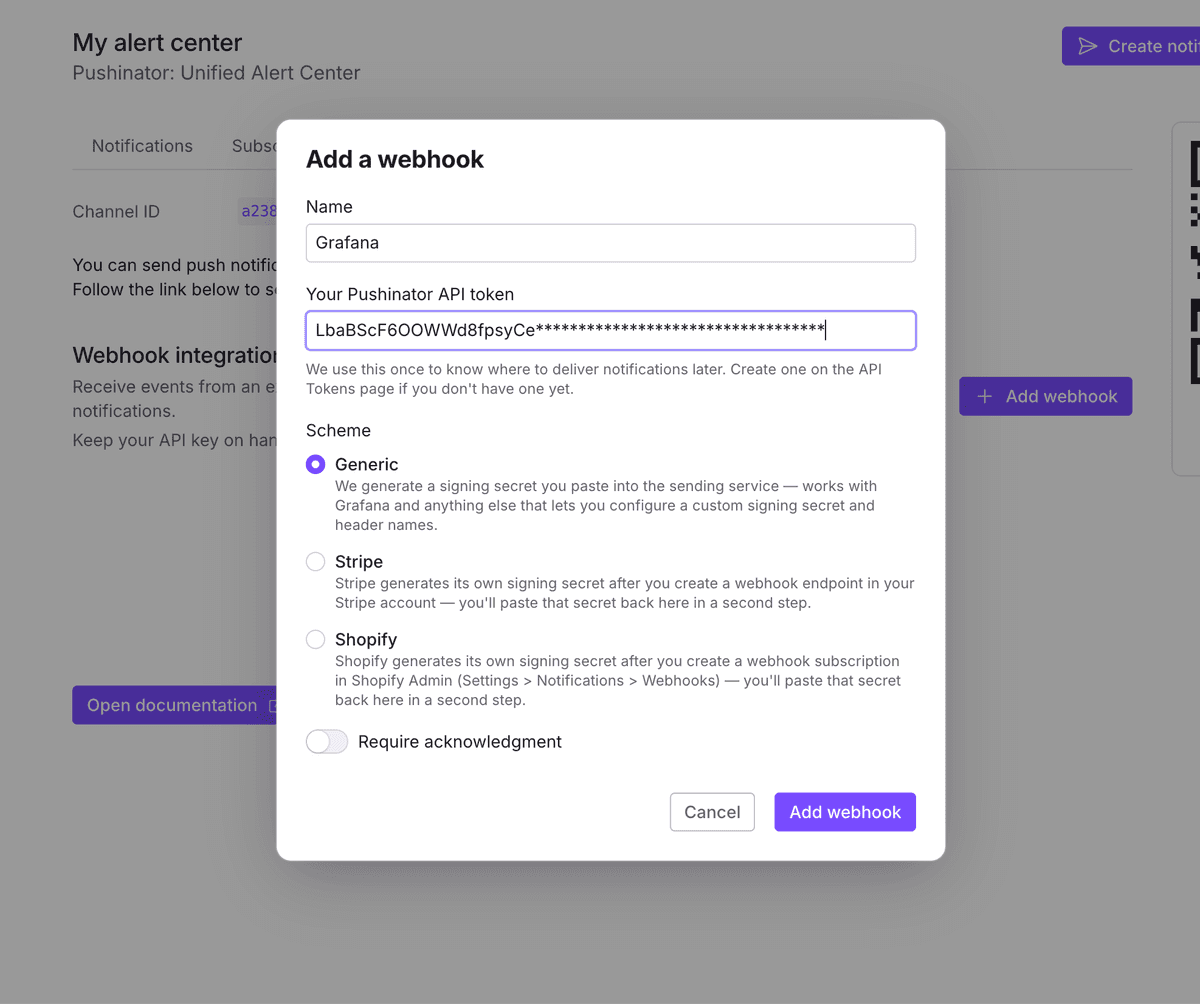
Copy the webhook URL and signing secret
Pushinator immediately shows a webhook URL and an HMAC signing secret, both ready right away. Copy them now: the secret is only shown once, though you can regenerate it later from the webhook's menu if you lose it.
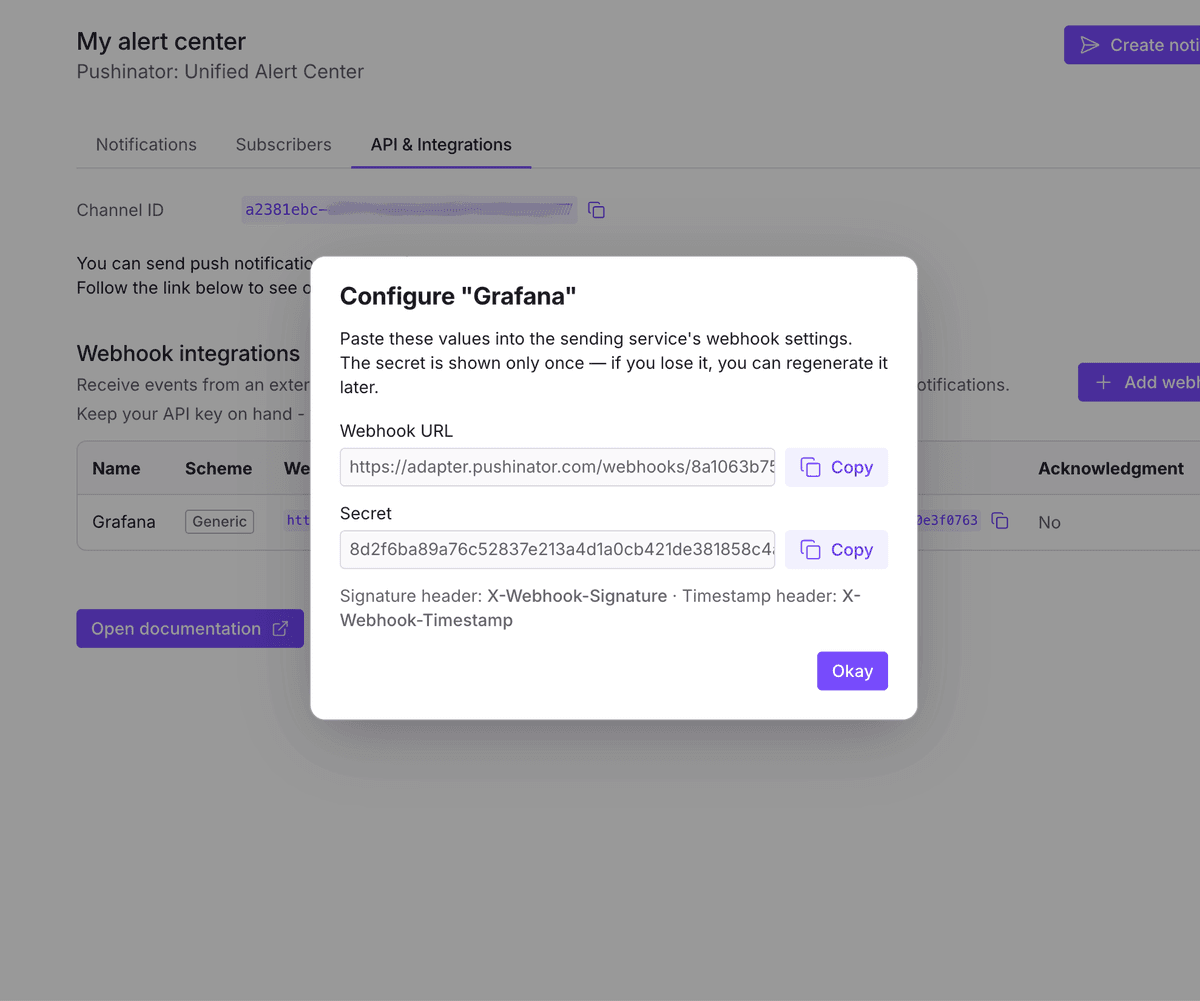
Point your service at the webhook
Configure the sending service or script to POST JSON to that URL — if it supports signing outgoing webhooks, sign the request with your secret so Pushinator can verify it's really from you.
No need to match a specific format: just include a message, text, summary, or title field in your JSON and Pushinator will pick it up automatically. Here's what a request looks like:
curl -X POST https://your-webhook-url \
  -H "Content-Type: application/json" \
  -H "X-Webhook-Signature: <hex hmac>" \
  -H "X-Webhook-Timestamp: <unix timestamp>" \
-d '{"message": "Deploy finished successfully"}'Subscribe your devices
Install the Pushinator app from the App Store or Google Play, then scan your channel's QR code to subscribe. From now on, matching events arrive as push notifications, e.g. "Deploy Alerts | Deploy finished successfully" — if you connect several webhooks to the same channel, each one's name is used to tell notifications apart.
Need help?
Drop us a message at [email protected], and we will try our best to assist you. Feel free to request a feature or integration, or let us know if there are any issues on our side.